
The GCC has one of the highest smartphone penetration rates in the world, but that does not mean every visitor to your site is using a brand-new iPhone. A significant portion of the population uses mid-range or older Android devices, often on mobile data rather than Wi-Fi. According to DataReportal's Digital 2026 report, the UAE alone has 23 million active mobile connections — nearly double its total population — reflecting a market where people are connected on all kinds of devices.
This device diversity creates a fundamental challenge for businesses: how do you deliver an app-like experience without forcing users to download a 100MB native app from the App Store? The answer, increasingly, is the Progressive Web App (PWA). At CodeStan, we have built PWAs for clients across Riyadh, Jeddah, and Dubai that bridge the gap between mobile web and native apps.
What Is a PWA and Why Does It Matter for GCC Markets?
A Progressive Web App uses modern web technologies to deliver an experience that feels like a native mobile app: fast loading, offline access, push notifications, and home screen installation. Unlike native apps, PWAs work through the browser, require no app store approval, and are typically 5-10% of the size.
For GCC businesses, PWAs solve specific problems:
- Storage-constrained devices: Many users in Saudi Arabia and the UAE have budget Android phones with limited storage. A PWA at 2-5MB is accessible where a 80MB native app is not.
- Slow or intermittent connections: PWAs cache core content, allowing users to browse products and read information even when connectivity drops.
- No app store barriers: Users do not need a Google Play or App Store account, bypassing regional restrictions and payment friction.
- Instant updates: Push a code change and every user sees it on their next visit. No app store review delays.
- Lower development cost: One PWA serves iOS, Android, and desktop users. Native apps require separate codebases.
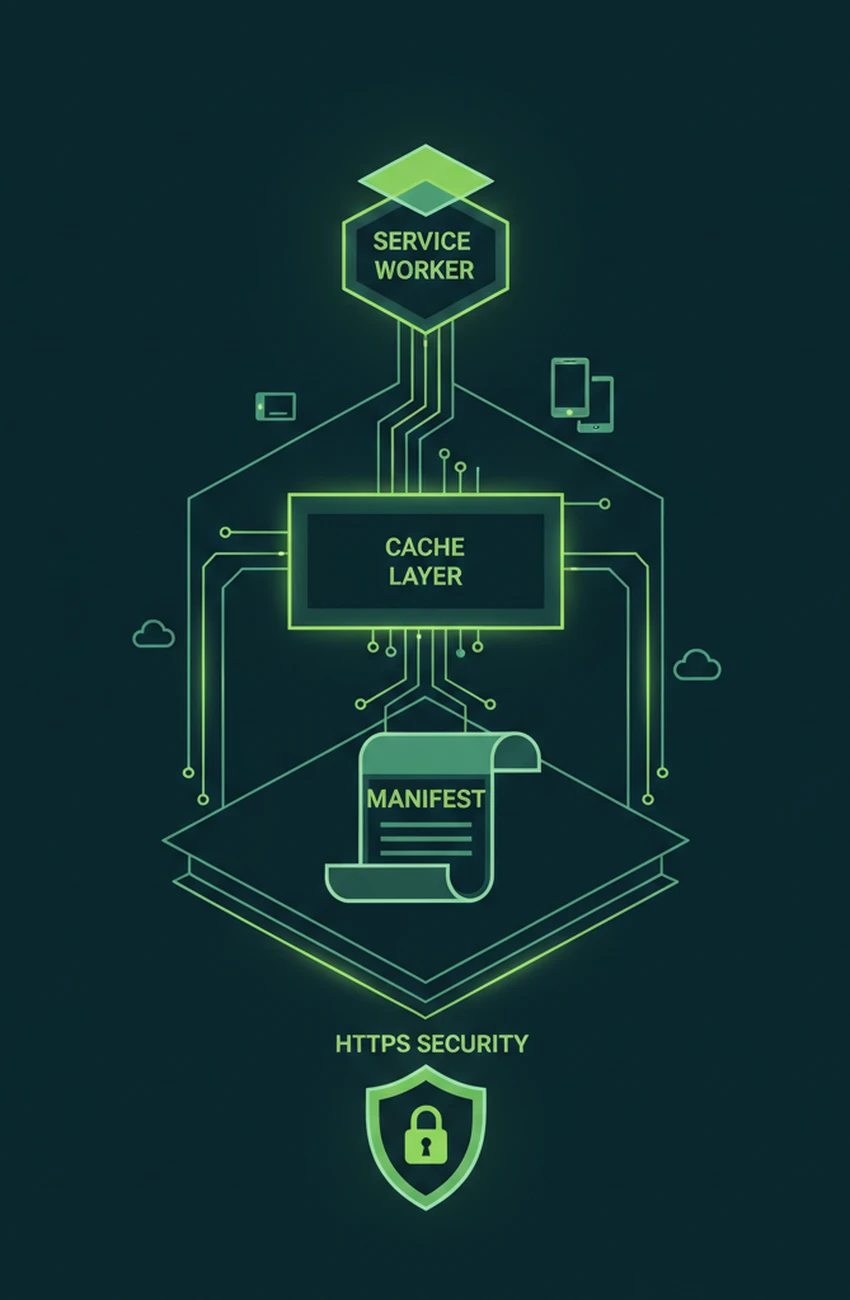
PWA Core Technologies: The Technical Foundation
Building a production-ready PWA requires three core technologies:
1. Service Workers
Service workers are JavaScript files that run independently of the web page, enabling background sync, push notifications, and intelligent caching. For a Riyadh-based grocery delivery client, we implemented a service worker that caches product catalog data, allowing users to browse categories even when their 3G connection weakens. Result: bounce rate on mobile dropped by 24%.
Key service worker strategies for GCC markets:
- Cache-first for static assets: CSS, JavaScript, and images are served from cache immediately, then updated in the background.
- Network-first for dynamic content: Product prices and availability fetch from the server first, with cached fallback if the network fails.
- Background sync for form submissions: If a user submits a contact form or order during a connection drop, the service worker queues it and retries automatically.
2. Web App Manifest
The manifest file tells the browser how to present your PWA when installed on the home screen. For GCC brands, the manifest must include:
- Localized app names (Arabic and English) for bilingual audiences
- RTL direction specification for Arabic-first users
- Adaptive icons that work on both iOS and Android home screens
- Splash screen colors aligned with brand identity
3. HTTPS and Security
PWAs require HTTPS, which is non-negotiable for any e-commerce or data-collection site anyway. For GCC clients, we ensure compliance with:
- SDAIA and NCA cybersecurity guidelines for Saudi government and semi-government projects
- UAE data residency requirements for healthcare and financial services
- PCI-DSS standards when handling payment card data
PWA Performance Benchmarks for MENA
Speed is not a feature. It is the foundation. Google's Core Web Vitals directly impact search rankings, and GCC users have low tolerance for slow sites. The targets we set for every PWA project:
- Largest Contentful Paint (LCP): Under 2.5 seconds on a mid-range Android device on 3G
- First Input Delay (FID): Under 100 milliseconds
- Cumulative Layout Shift (CLS): Under 0.1
- Time to Interactive (TTI): Under 3.8 seconds
For a Dubai hospitality client, our PWA achieved a Lighthouse performance score of 94 on a simulated Moto G4 (a common budget device in the UAE). Their previous responsive website scored 61.
Use CSS logical properties (margin-inline-start, padding-inline-end) instead of directional properties. This ensures your PWA layout flips correctly for Arabic users without duplicating stylesheets. A Riyadh grocery client reduced their CSS bundle by 18% after switching to logical properties.
Arabic RTL and Localization for PWAs
PWAs serving GCC audiences must handle Arabic RTL correctly across all cached and dynamic content. Technical considerations:
- RTL CSS: Use logical properties (margin-inline-start, padding-inline-end) rather than directional properties (margin-left, padding-right) so layouts flip automatically.
- Font subsetting: Arabic web fonts can be 200-400KB. Subset to only the characters you need, and preload critical font files.
- Localized caching: Cache separate asset bundles for Arabic and English users to prevent layout shift when language switches.
- Date and number formatting: Use Intl.DateTimeFormat and Intl.NumberFormat with ar-SA and ar-AE locales for proper Hijri date support and currency display.
When to Choose PWA vs. Native App
| Factor | PWA | Native App |
|---|---|---|
| Discovery | Search + social | App store |
| Install size | 2-5 MB | 40-100 MB |
| Update speed | Instant | App store review |
| Push notifications (iOS) | Limited | Full support |
| Hardware access | Basic | Full (NFC, Bluetooth) |
| Development cost | Single codebase | iOS + Android separate |
PWAs are not a universal replacement for native apps. We recommend PWAs when:
- Your primary audience discovers you through search and social media, not app stores
- Your feature set does not require deep device integration (Bluetooth, NFC, advanced camera control)
- Budget constraints make maintaining separate iOS and Android codebases impractical
- Rapid iteration is more important than platform-specific polish
Choose native apps when you need push notifications on iOS (still limited for PWAs), complex offline functionality, or deep hardware integration. For most GCC e-commerce, content, and service businesses, PWAs deliver 90% of the value at 40% of the cost.
Key Takeaways
- PWAs deliver app-like experiences at 5-10% of native app size, critical for GCC's diverse device landscape
- Service workers, web app manifests, and HTTPS are the three technical pillars
- Core Web Vitals targets (LCP under 2.5s, CLS under 0.1) directly impact Google rankings and user retention
- Arabic RTL requires logical CSS properties, font subsetting, and localized caching strategies
- PWAs excel for discovery-driven, content-heavy, and e-commerce use cases across Saudi Arabia and the UAE
Considering a PWA for your GCC business? Book a technical discovery call with CodeStan. We have shipped PWAs for clients in Riyadh, Jeddah, and Dubai, and we can benchmark your current mobile performance against industry standards.


